Ford IDS 105.01 tested OK function and tools, Ford
IDS 105.01 VM installation tips, Ford IDS error solution "Intel VT-x
disabled", Ford IDS software Q&A.
Part
1: Which tools can I use with this Ford IDS 105.01 VMware? What functions are
tested OK?
Ford IDS 105.01 VM compatible interfaces:
VCM IDS 3 (It can use latest Ford IDS 105.01-- confirmed by engineers)
Ford
IDS 105.01 Tested OK Reviews:
I did 6 module programming on a 2013 explorer
yesterday and all OK!
Ford IDS worked great today. Programmed a few
keys and flashed a PCM already. Working flawlessly. Hope it keeps it up.
Today I've programmed a Ford Focus blue key
with this virtual machine and Ford VCM2. Tested ok!
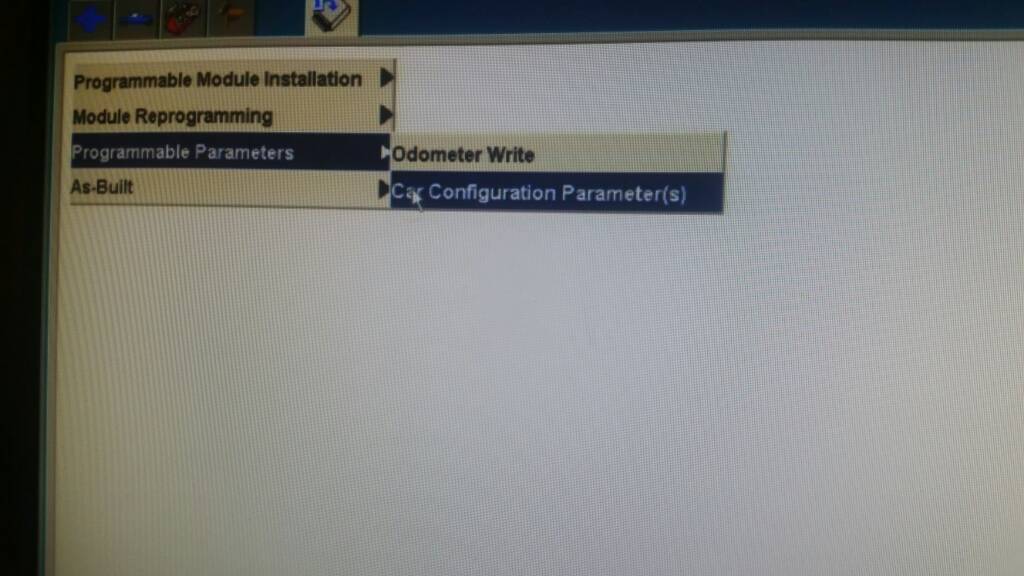
I've used it on 2015 F-150 to enable Car Configuration
Parameters without any problem
Tested also with latest VCX manager and
updated firmware on the NANO => work great with my VCX NANO Ford
I can now confirm both of these images are
working with the Allscanner VCX Brand. Not sure if it makes any different but I
used the latest VCX manager from the website.
I can confirm also. I made persistent HDD,
then I installed drivers, restart. I checked license of VXDIAG... Then non
persistent and now is ok.
Part
2: How to install Ford IDS 105.01 VM correctly?
Download Ford IDS 105.01 VM from here:
To be honest... Just turning non persistent
off before the first start is all u need to do... And also click I moved it.
Leaving internet on doesn't matter.
In fact u need to keep it on if u wanna do
programming from the server.
Ford
IDS 105.01 VM installation tips
for your reference:
Downloaded & extracted.
Opened in VMWARE 10. (In one of the first
couple of lines in config file change the "12" to "10")
Clicked "I MOVED IT"
Turned of internet (don't know if it matters).
Turned off nonpersistent.
Started Up IDS 105.1 VMWARE
Plugged in OEM VCM and installed drivers.
Made cosmetic changes, performance changes to
WIN7.
Opened IDS and made settings changes
Ran Shut down command in Guest System.
Turned nonpersistent back on.
Part
3: How to solve Ford IDS software error "Intel VT-x is disabled",
"64 bit operation is not possible"?
Got the problem when run Ford IDS 105.01 in VMware
machine:
This virtual machine is configured for 64-bit
guest operating systems. However, 64-bit operation is not possible.
This host supports Intel VT-x, but Intel VT-x
is disabled.
Intel VT-x might be disabled if it has been
disabled in the BIOS/firmware settings or the host has not been power-cycled
since changing this setting.
(1) Verify that the BIOS/firmware settings
enable Intel VT-x and disable 'trusted execution.'
(2) Power-cycle the host if either of these
BIOS/firmware settings have been changed.
(3) Power-cycle the host if you have not done
so since installing VMware Workstation.
(4) Update the host's BIOS/firmware to the
latest version.
all other images of IDS working without
problem
need updating BIOS
Solution:
The error means you CPU
isn't configured or capable of 64bit virtualization. Check your bios setting!
Change computer BIOS about virtualization that
was disabled, change to enabled. Now IDS is working ok!
Part
4: IDS Ford software V105.01 Q&A
Q: What windows it works?
And do I need a special winrar version to open the file ?
A: Windows 7/8/10 64bit
all OK. Just use latest winrar version available from rarlab website.
Q: Help please! I have a
VM ware IDS 105, but is asking for license?
A: Shouldn't ask if you
click " I moved " it at first start!
Most of people license
error come from clicking " I copied it" when u first start the VM.
You should click "I
moved it".
Delete the VM.. unzip/
unrar again.
Start over.
Click "I moved
it" then no issue anymore.
Q: Is there a way to
accelerate this VMware? May I active some options for that?
A: This VM is using 1.5Gb
so you will need at least 4Gb on your machine. CPU preferably an i5 processor. Allow
more RAM, more CPU. but it won't ever be like a native machine.
Or try running defrag in
VMware> HDD utilities
Hope it helps!
Quick link to ALL Ford IDS 105 compatible tools: